



Overview of Project Management Systems: Worksection, Asana, ClickUp, Pipedrive (Project Module)
In modern business, effective project management is one of the key factors for success. This is where Project Management Systems come into play — tools that allow companies to organize and optimize all stages of project activities. These services are necessary not only for organizing delivery processes in project-based companies but also for organizing internal operations in companies with a large number of departments and internal processes.
Project management systems facilitate teamwork, increase process transparency, allow efficient resource allocation, and enable real-time task tracking.
In this article, we will explore several Project Management Systems, their advantages and disadvantages, key features, and their impact on team productivity.


Functional Features and Characteristics for Comparing Services:
- Functional capabilities
- Advantages of the service
- Disadvantages of working with the service
- Pricing policy
Let’s get started.
Worksection – let’s start with a Ukrainian product that perfectly balances price and functionality for any growing business.
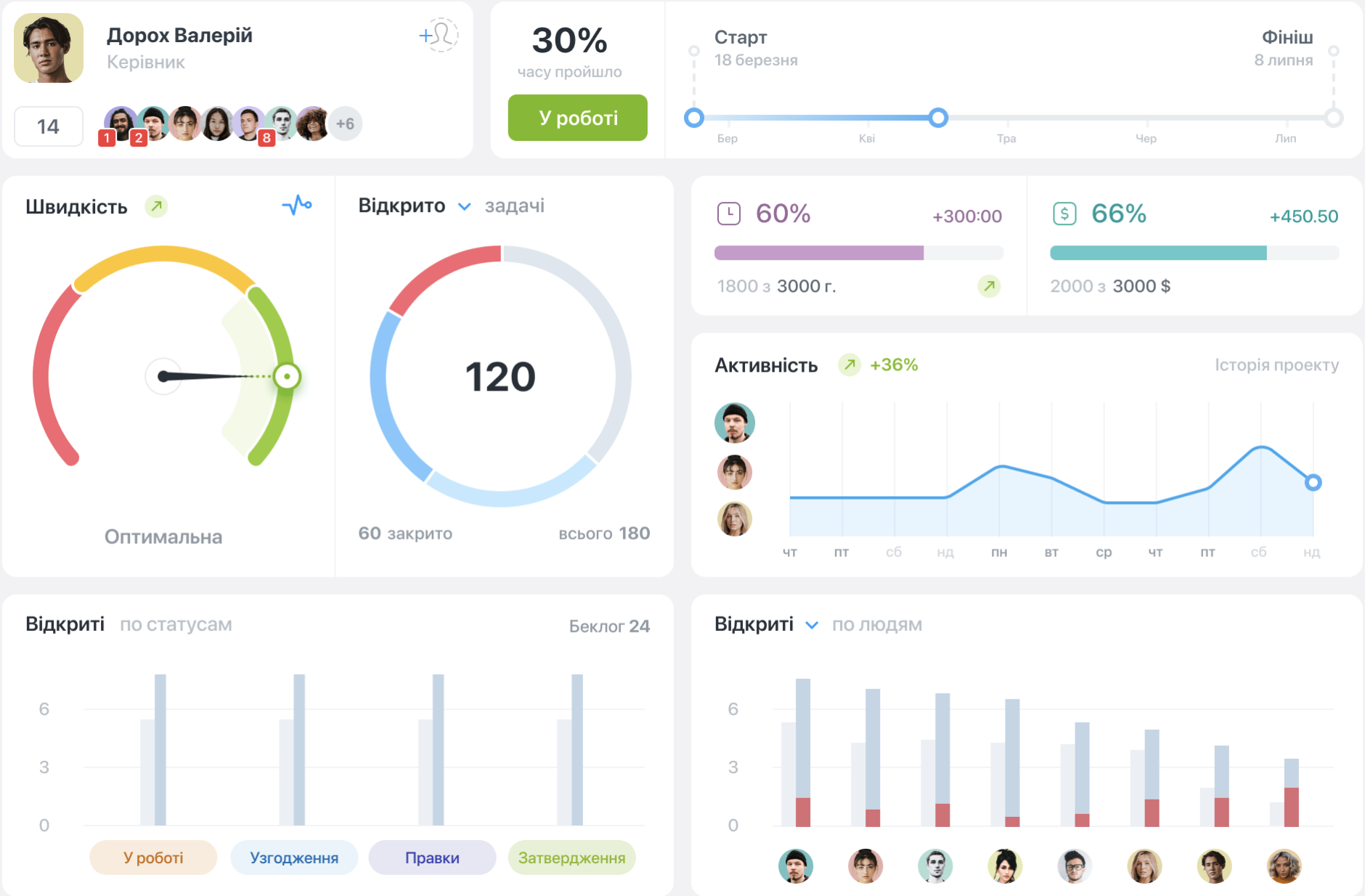
Worksection is a team workspace for task control and execution. It is used in both service-based and product-based companies.
-

- Дашборд проекту
-
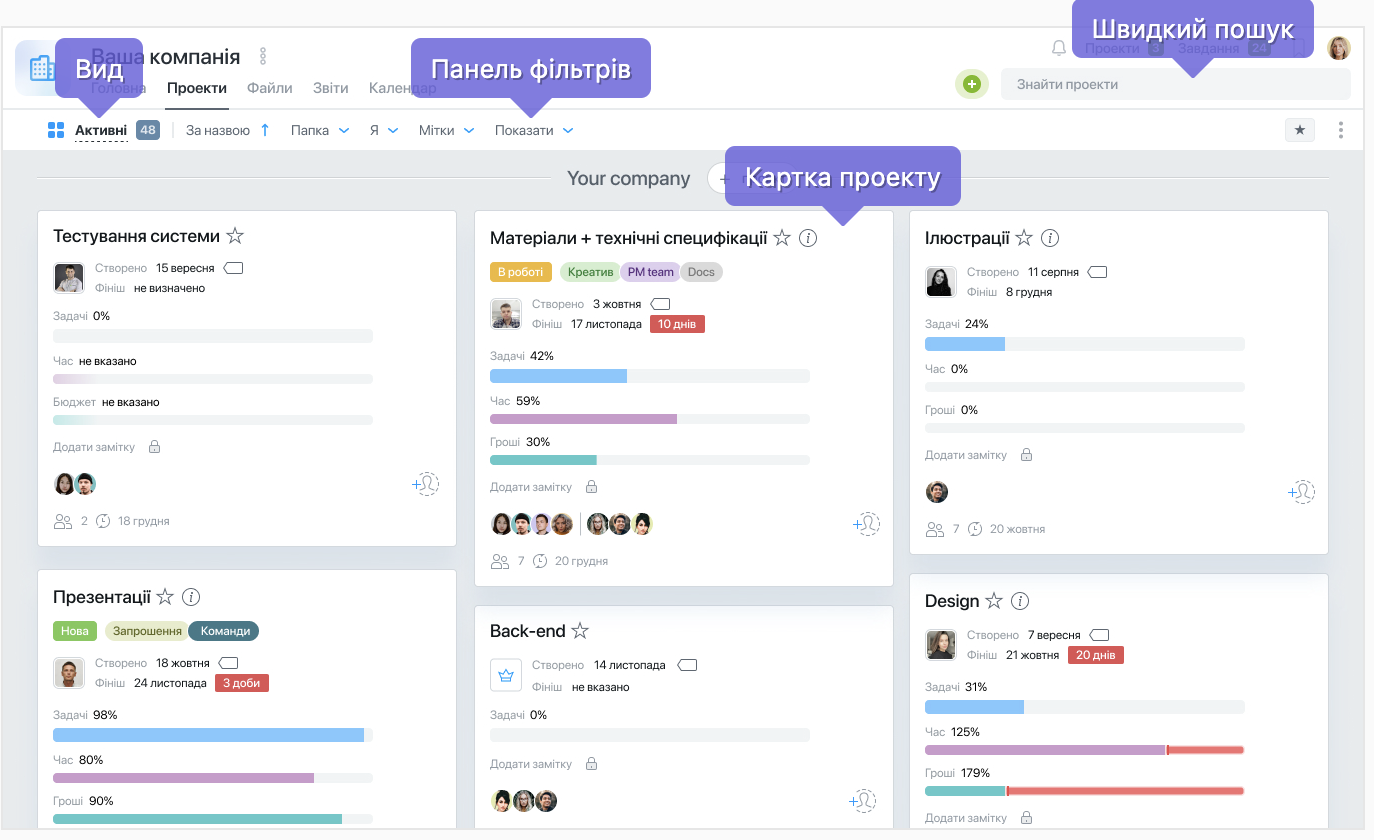
- Канбан проекту
-
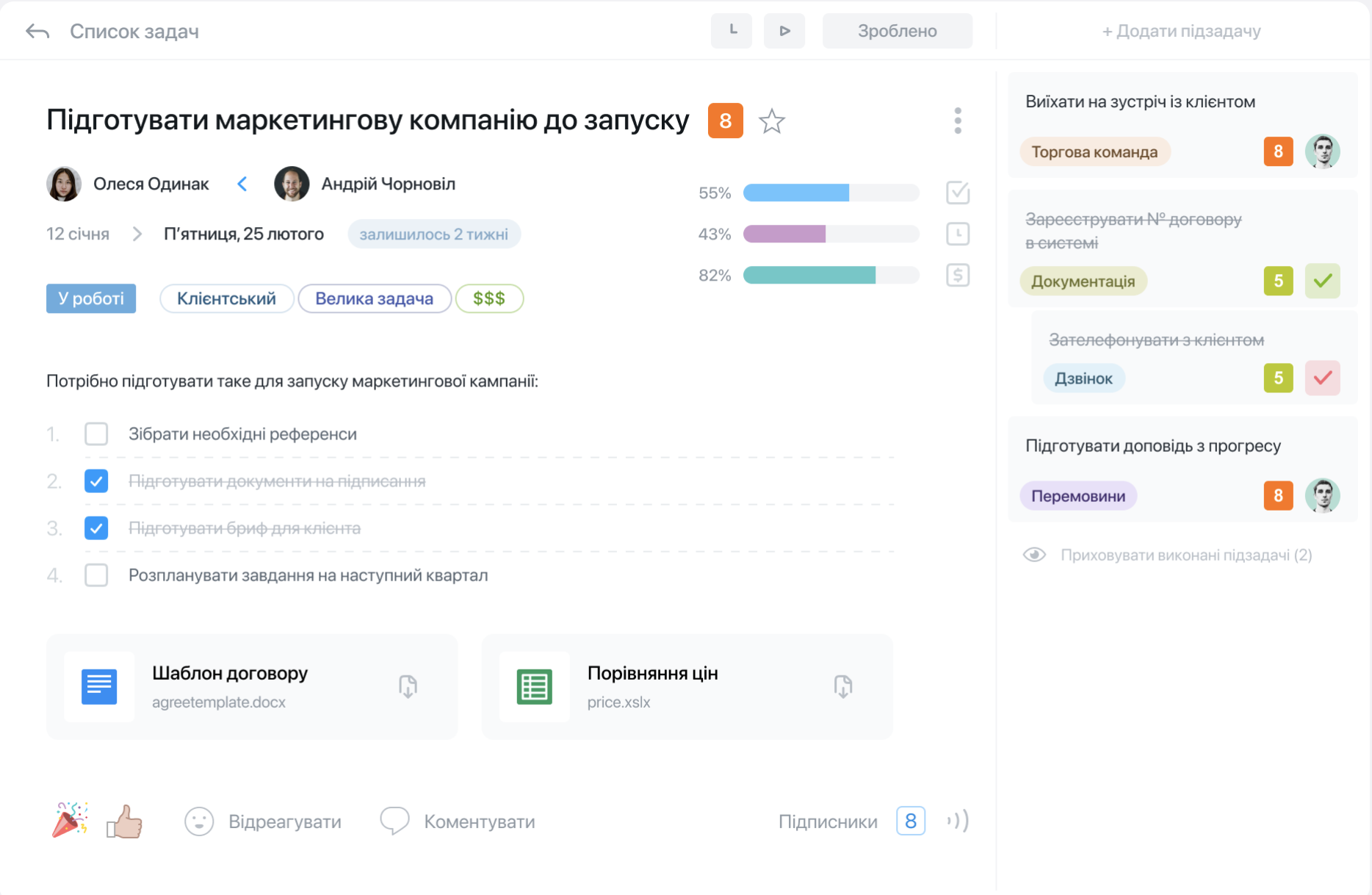
- Ведення задачі
-
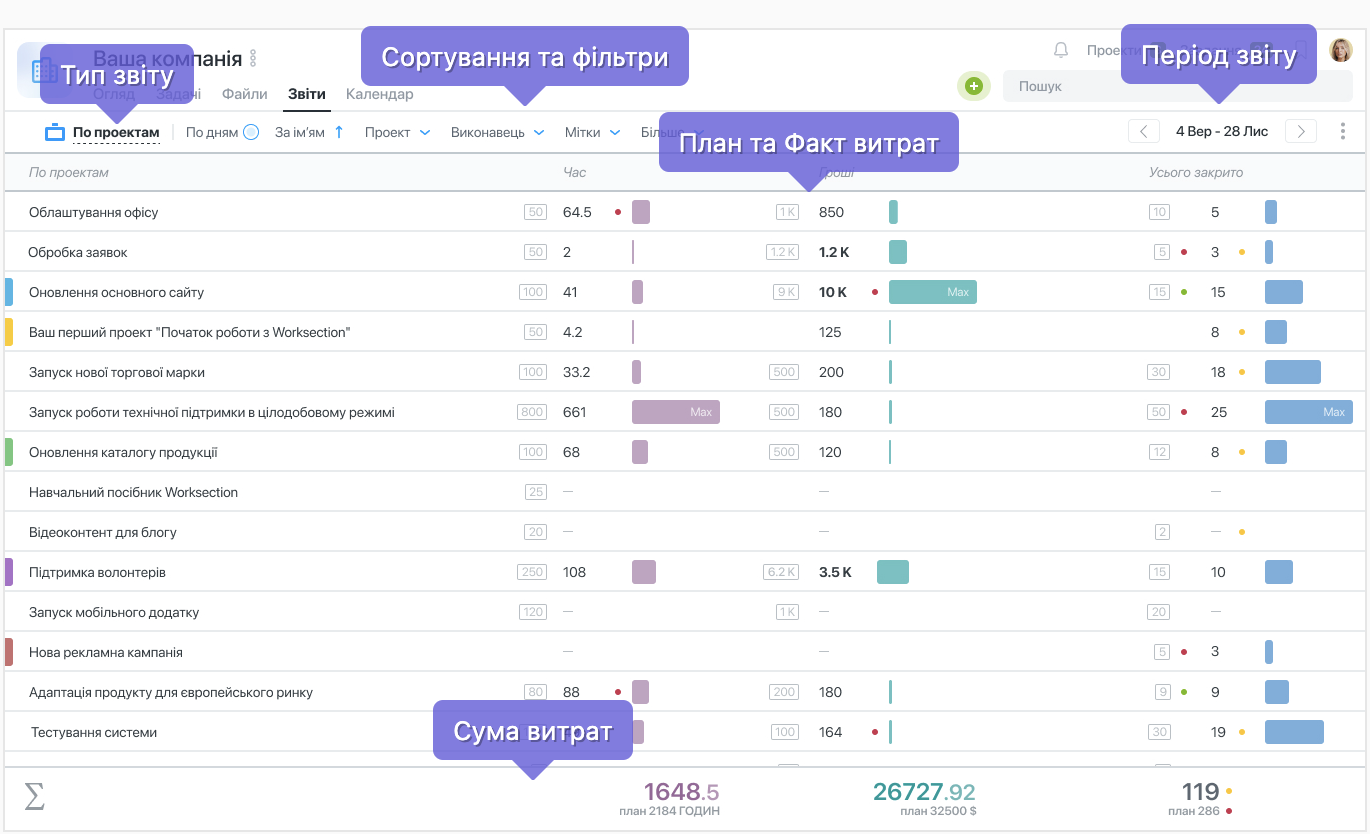
- Звіт за витратами часу та фінансами
Functional Capabilities:
- The service supports a hierarchical structure of tasks and sub-tasks, which allows for easy organization of work processes and monitoring of project/task burnouts.
- Integration with Google Drive, Dropbox, and other popular services for convenient document management.
- Multilingual service, allowing employees from different countries to join. In addition to Ukrainian and Polish, it also supports English, German, Spanish, and French.
- Variability in project display methods: from task lists and calendars to Gantt charts with customizable task dependencies.
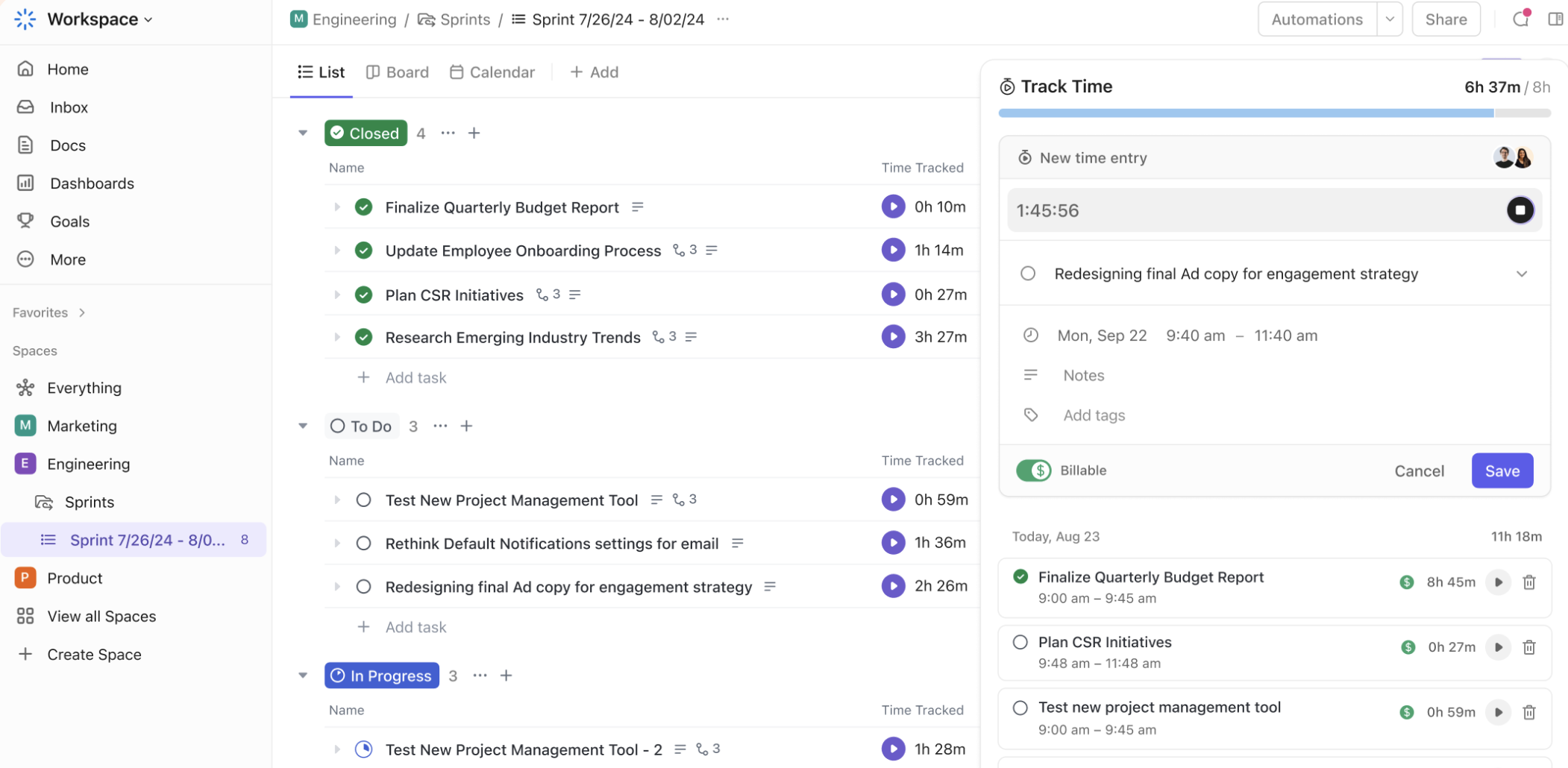
- Built-in functionality to track time and budgets for maximum project control.
- Available task templates for easy and quick startup.
- The ability to set roles, visibility zones, and permissions according to these roles. One role could be a “guest,” which is convenient for adding clients to projects for tracking progress.
Advantages of the Functionality:
- Ease of use. The interface is intuitive and requires minimal time for team adaptation.
- Convenient team collaboration organization through a shared comments system in tasks and projects, and the ability to work together on documents.
- Even on the basic plan, time and budget tracking functionality is included — no need for additional services.
- A mobile app is available, allowing updates on tasks and comments for employees working in the field.
Disadvantages of the Service:
Disadvantages of the Service:
- Limited integration options with third-party tools compared to some competitors. There is no marketplace for additional integrations and solutions.
- Lacking more advanced features for large enterprises or teams, such as automation of complex workflows.
- Informative, but less flexible in settings and visually not ideal reports for the company and team overall.
- No email integration for converting email messages into tasks.
Pricing Policy:
The pricing plans are package-based and mainly differ by the number of users that can be connected and the amount of file storage.
- Basic: $59/month (2.9$/user)
- Business: $127/month (2.5$/user)
- Premium: $245/month (5.1$/user)
There is a free plan for personal use. Enterprise plans are discussed individually.
Conclusion:
Worksection is a multifunctional platform for project and task management, allowing companies to structure work processes, track deadlines, and control project budgets. Currently, it is ideal in terms of cost and functionality for small and medium-sized businesses.
Asana – is a popular online platform for project management and team collaboration. With its wide range of features and the availability of free plans with limited functionality, Asana is suitable for companies of all sizes — from small startups to large corporations.
Let’s review the functional capabilities of all pricing plans, including premium plans.
-
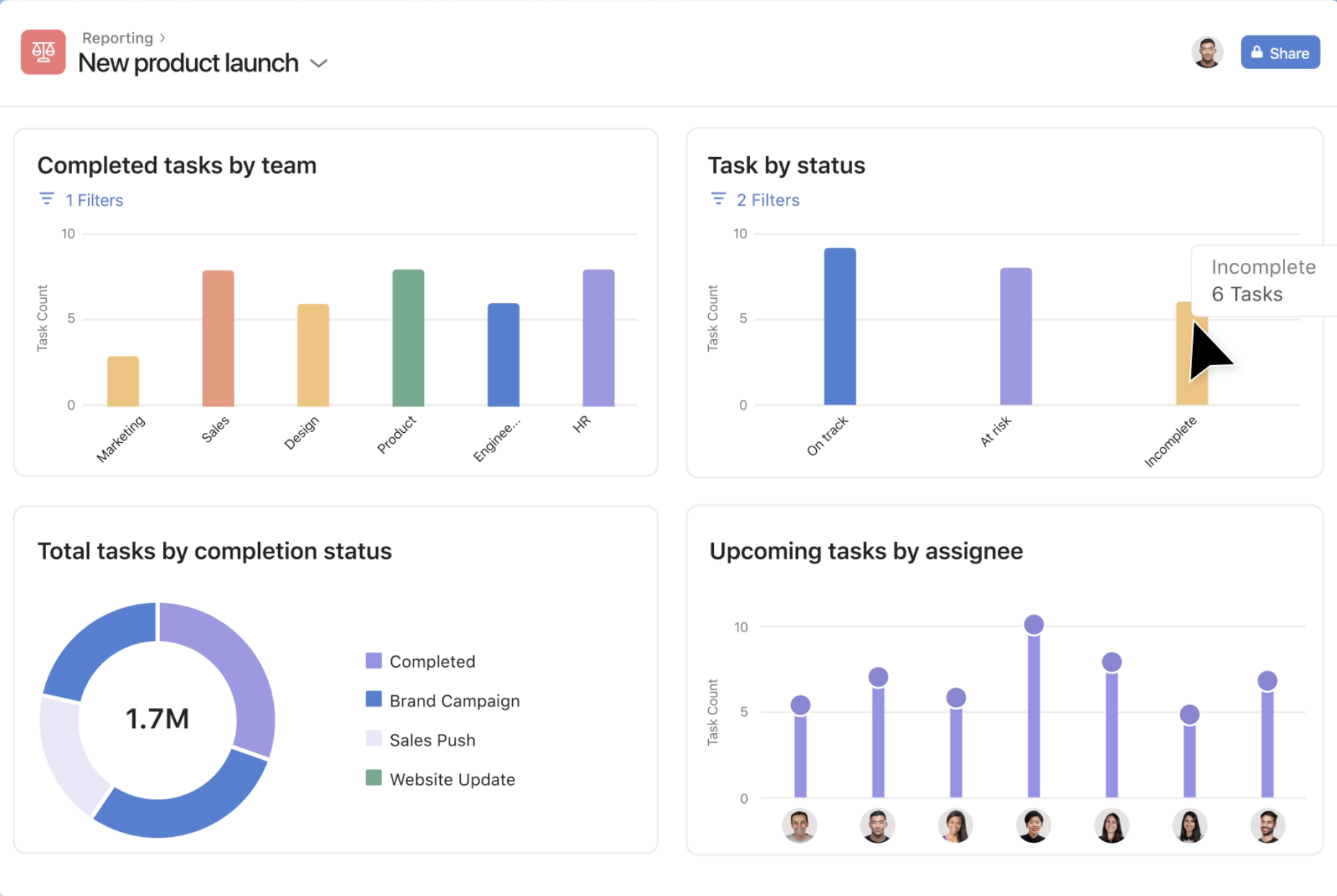
- Дашборди аналітичні
-
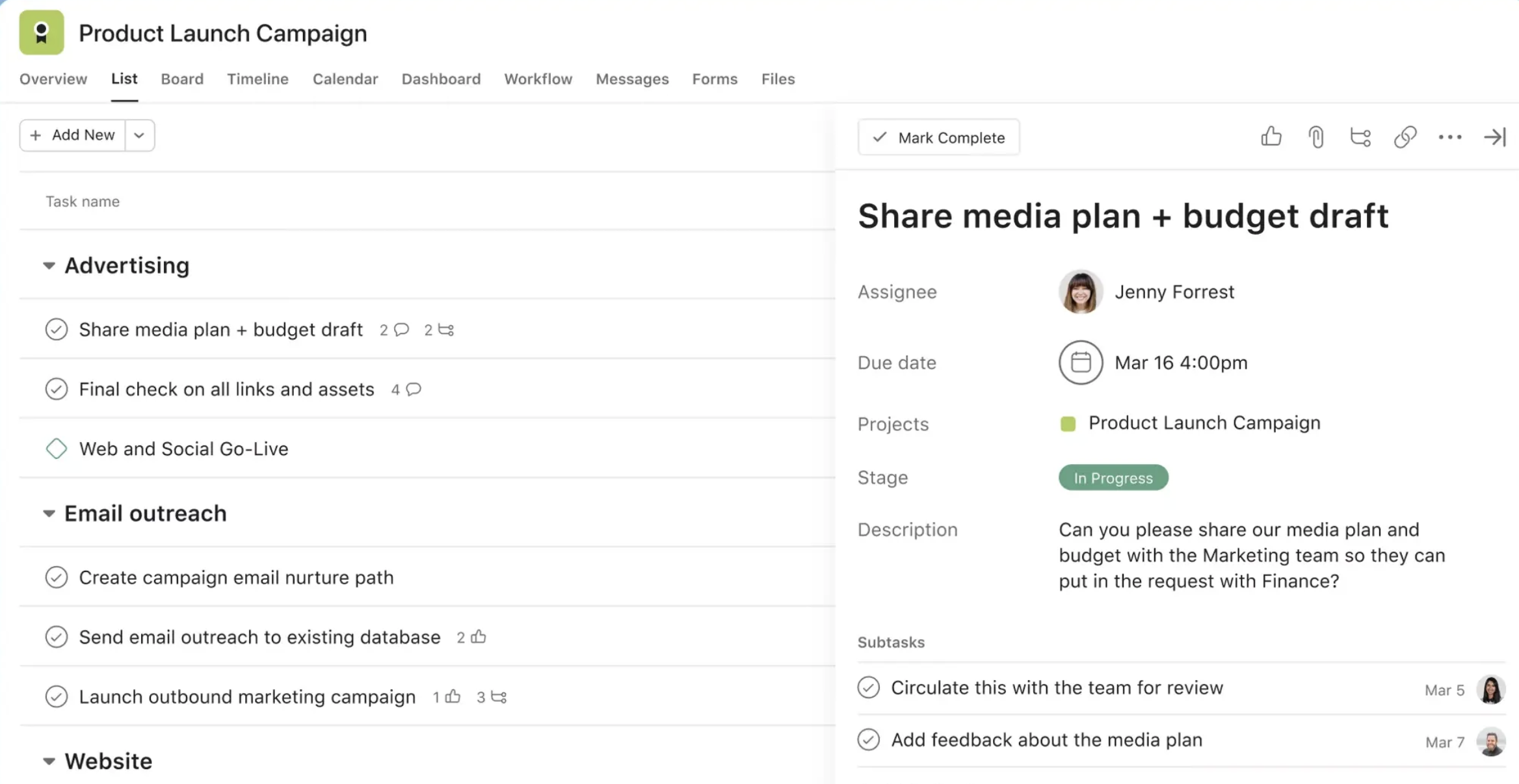
- Ведення задач
-
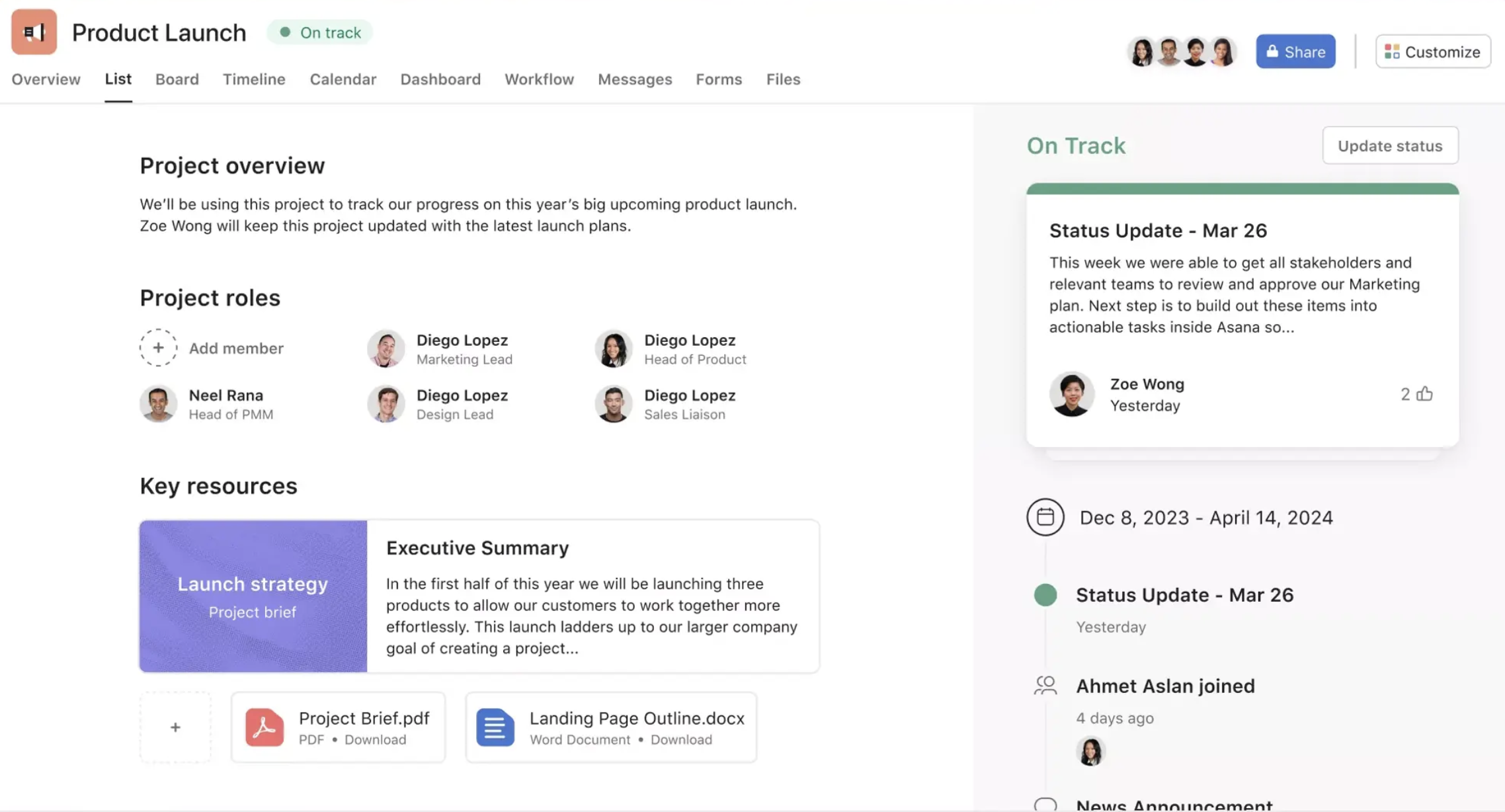
- Проект
-
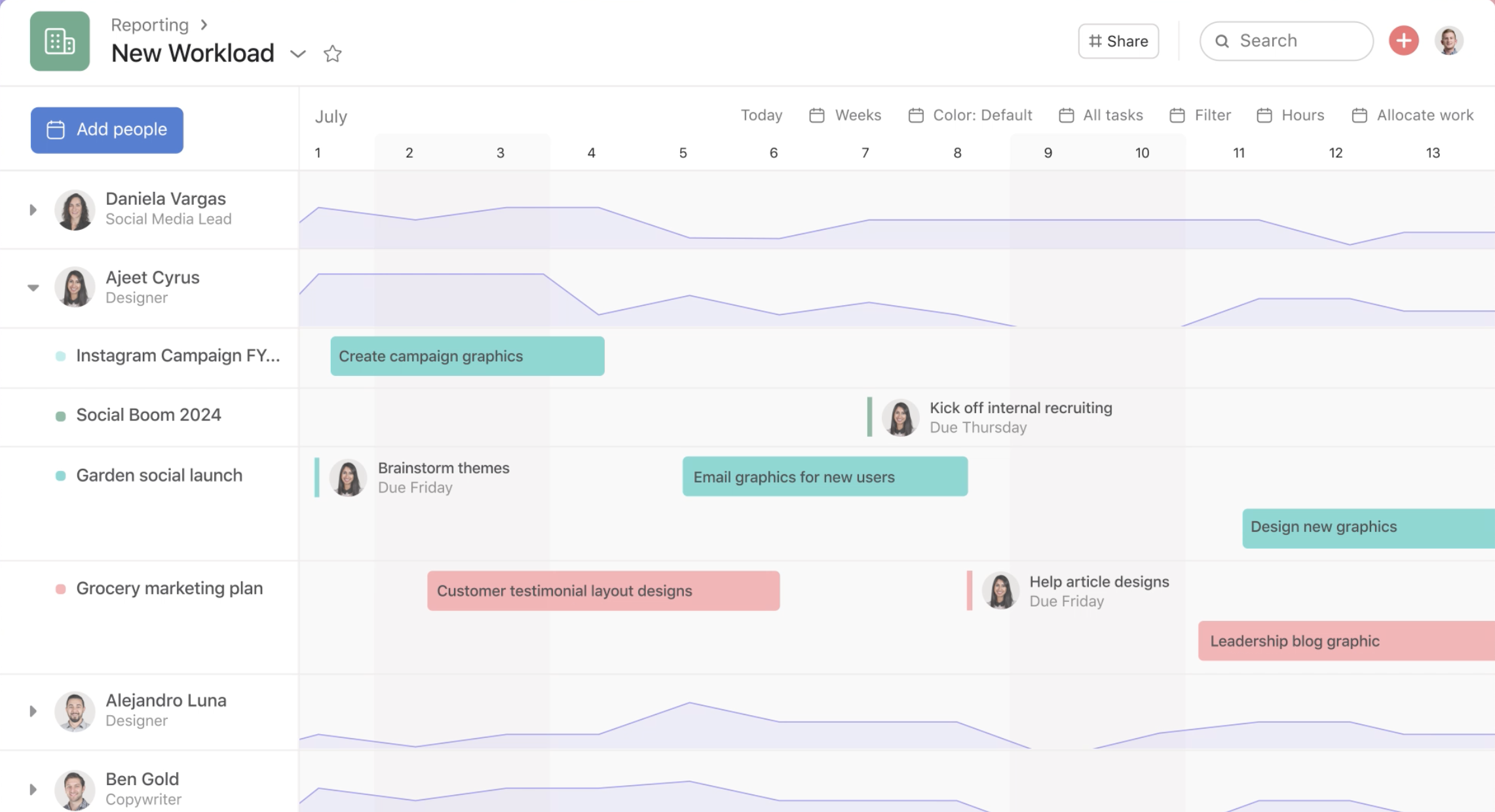
- Завантаженість
Functional Capabilities:
- Support for various data presentation types: lists, boards (Kanban), calendar, Gantt chart.
- Workflow and task automation using rules and triggers.
- Built-in templates for quick project setup, reducing configuration time.
- A wide marketplace for integrations with other tools such as Slack, Google Workspace, and Microsoft Teams, as well as internal forms for data collection, allowing automation of task creation and processing in the system.
- Ability to add custom fields and build business process chains for their standardization.
- Extensive reporting customization options at different levels for evaluating team performance and for specific departments.
- High level of security required for corporations (on premium plans).
- The mobile app allows teams to stay connected at all times.
Advantages of the Functionality:
- A highly flexible system that allows you to tailor workflows to the specific needs of the team.
- Provides the necessary features to support large teams and complex projects.
- Well-suited for teams working on Agile and Scrum projects thanks to Kanban board support and various features for sprints.
- The advanced analytics functionality allows you to build custom dashboards and evaluate team and project performance from different angles.
- Greater integration with a wide range of team collaboration tools, making it easy to integrate into the work environment without requiring additional custom development.
- The presence of an AI assistant in various Asana features helps optimize workflows further and reduce time spent reviewing and analyzing long-term projects.
Disadvantages of the Service:
- The cost of premium versions may be too high for small and medium-sized businesses.
- Time tracking and goal setting/control are only available on the premium plan.
- There is no built-in functionality for budget tracking and invoicing, but it can be integrated through third-party services.
- Connecting premium versions without proper implementation and training may lead to a long adaptation period and resistance from the team due to the large number of features and possibilities.
Pricing Policy:
For small and medium-sized businesses, the pricing plans are as follows:
- Free: $0/month
- Starter: $13.5/month
- Advanced: $30.5/month
Corporate pricing plans are discussed separately depending on functionality and the number of users.
Conclusion:
Asana is one of the most popular project management systems, ideal for large projects and teams where process automation is needed and a flexible system for task management is required.
Thanks to analytical reports and integration with a wide range of additional services, Asana can easily become the coordination hub and the foundation of a company’s work environment.
ClickUp – is positioned as an “all-in-one work management tool” and offers a suite of tools for project, task, time management, as well as documents and reports. It is designed to replace multiple project management tools and consolidate various processes in one place.
-
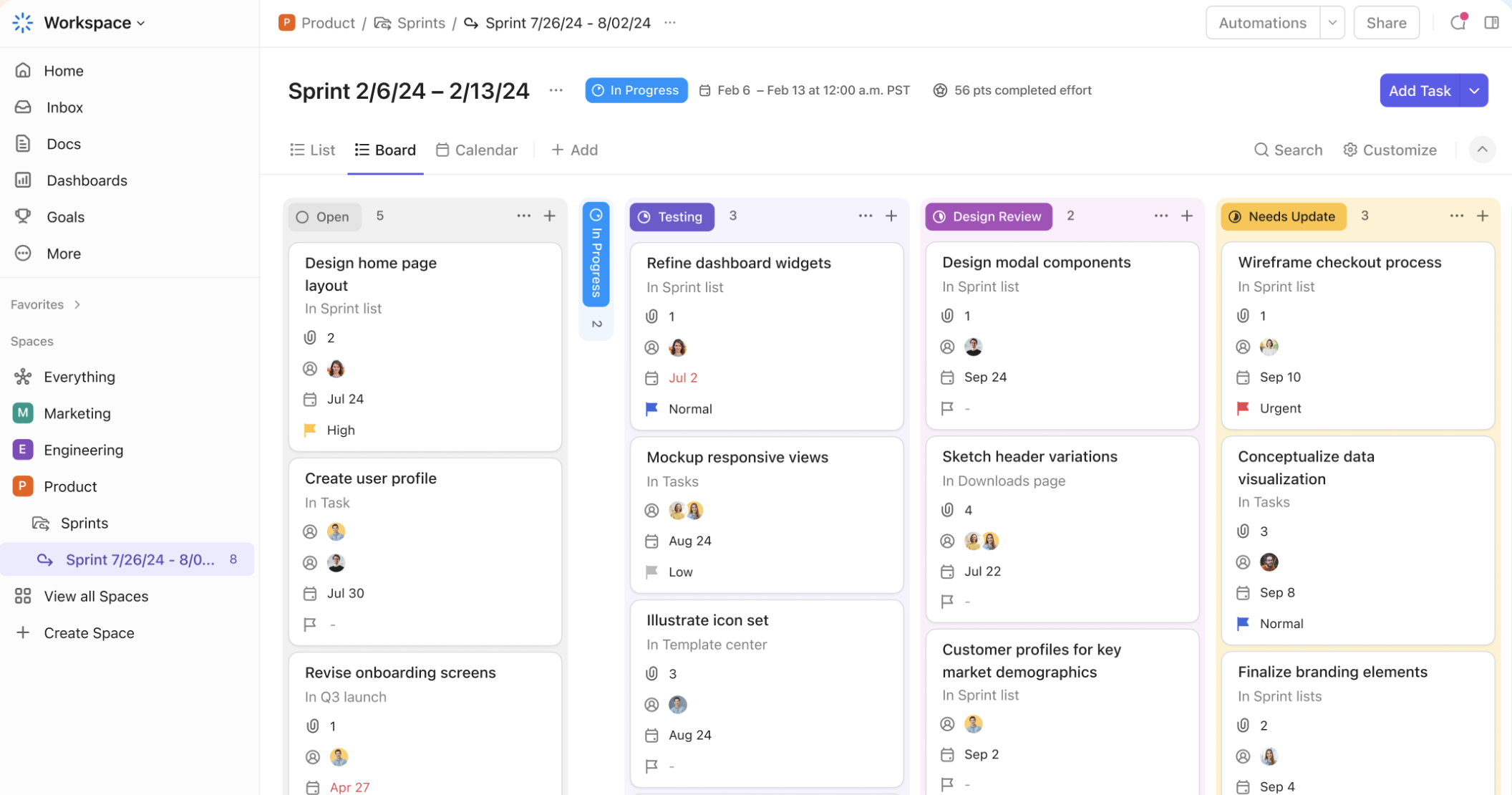
- Канбан – спрінти
-
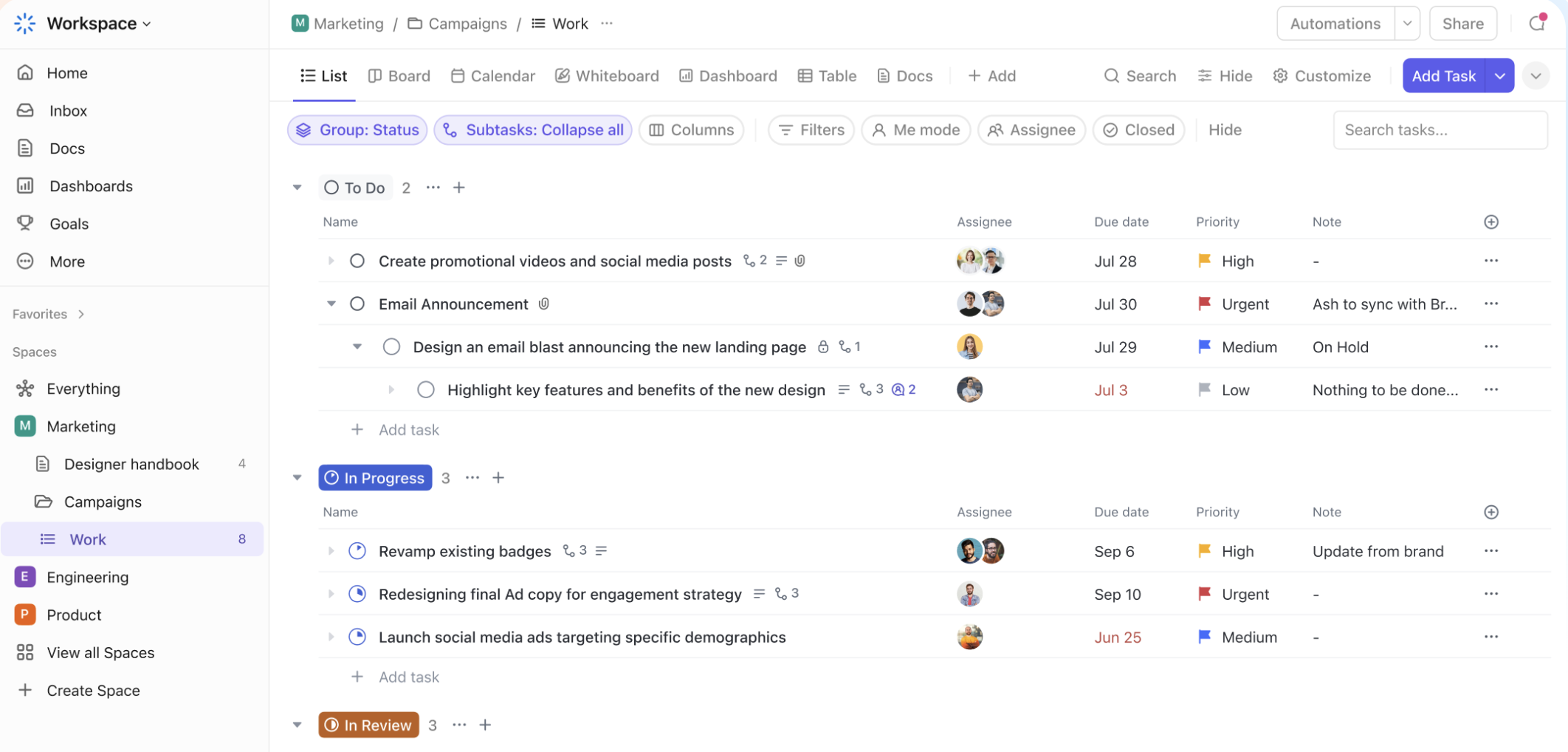
- Проекти
-
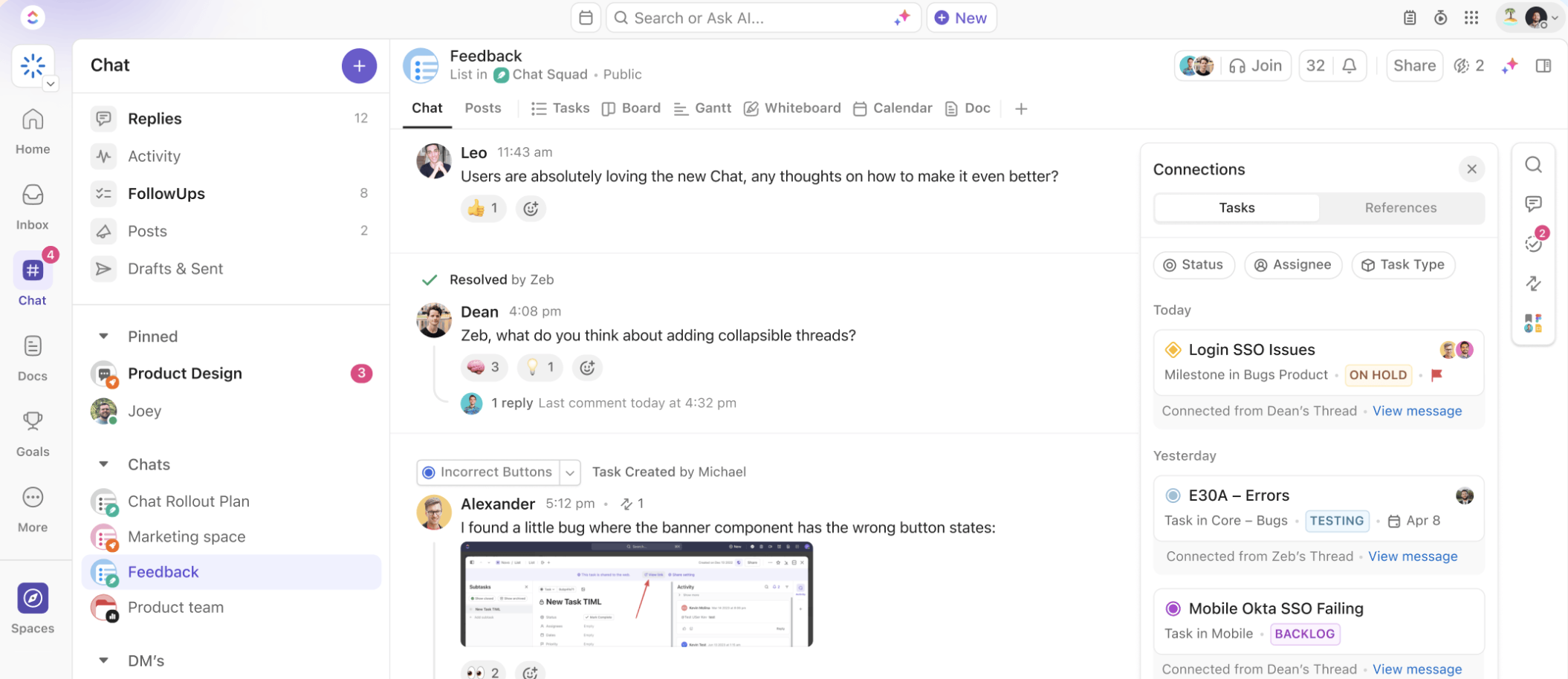
- Командні чати
-
- Таймтрекінг
Functional Capabilities:
- ClickUp allows you to create unique workflows and customize the system according to the specific needs of your team, thanks to its high flexibility.
- Supports various project view modes: list, Kanban, calendar, Gantt chart, and 11 additional customizable view options.
- Built-in chat functionality with team audio calling capabilities.
- Mind map feature for capturing processes in a schematic form.
- Internal forms for standardizing requests and process automation with triggers and conditions.
- Goal setting functionality and tracking of goal achievements.
- File storage and collaborative document features.
- Required security levels for large corporations on Enterprise plans.
Advantages of the Functionality:
- Extensive functionality for working with sprints using Agile and Scrum methodologies.
- A wide range of integrations with additional services used in team collaboration. It allows not only data exchange with connected services but also searching for information within ClickUp.
- A template library for different types of companies with pre-built processes and analytical reports.
- Despite its extensive functionality, it has an affordable pricing policy and includes a free plan.
- AI assistant available even on the basic paid plan.
Disadvantages of the Service:
- Difficult for new users due to the large number of features, but this can be addressed with implementation and training from partner companies.
- Frequent interface updates can cause inconvenience for users.
- No Ukrainian or Russian language options.
Pricing Policy:
Quite affordable considering the functionality. For small and medium businesses, the pricing plans are as follows:
- Free: $0/month for personal use
- Unlimited: $10/month
- Business: $19/month
Corporate pricing plans are discussed separately based on functionality and the number of users.
Conclusion:
ClickUp supports a wide range of functions such as task management, documents, notes, calendars, time tracking, goal management, and reminders. This allows companies to eliminate the need for multiple different programs and consolidate all workflows in one interface. With its pricing policy and customization flexibility, ClickUp is suitable for companies of any size, from startups to large organizations, and easily adapts to the needs of the team while maintaining simplicity and efficiency.
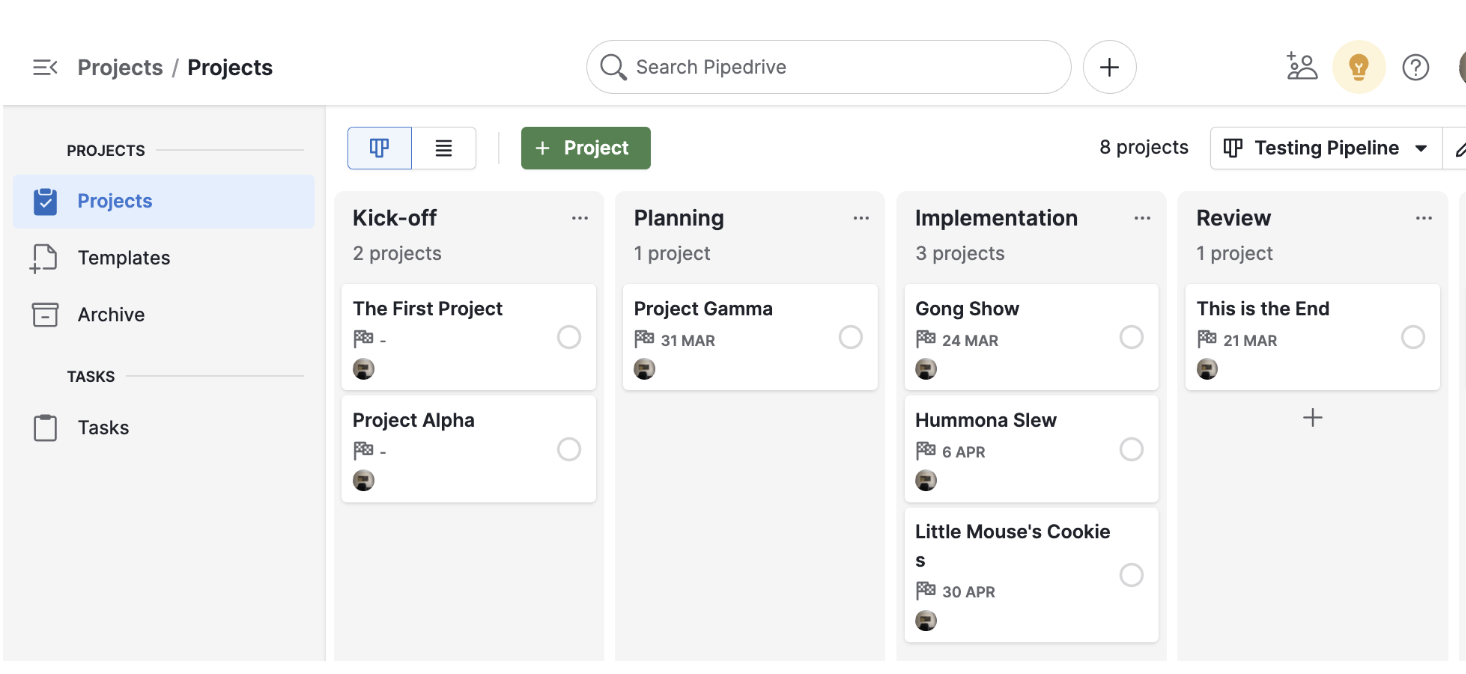
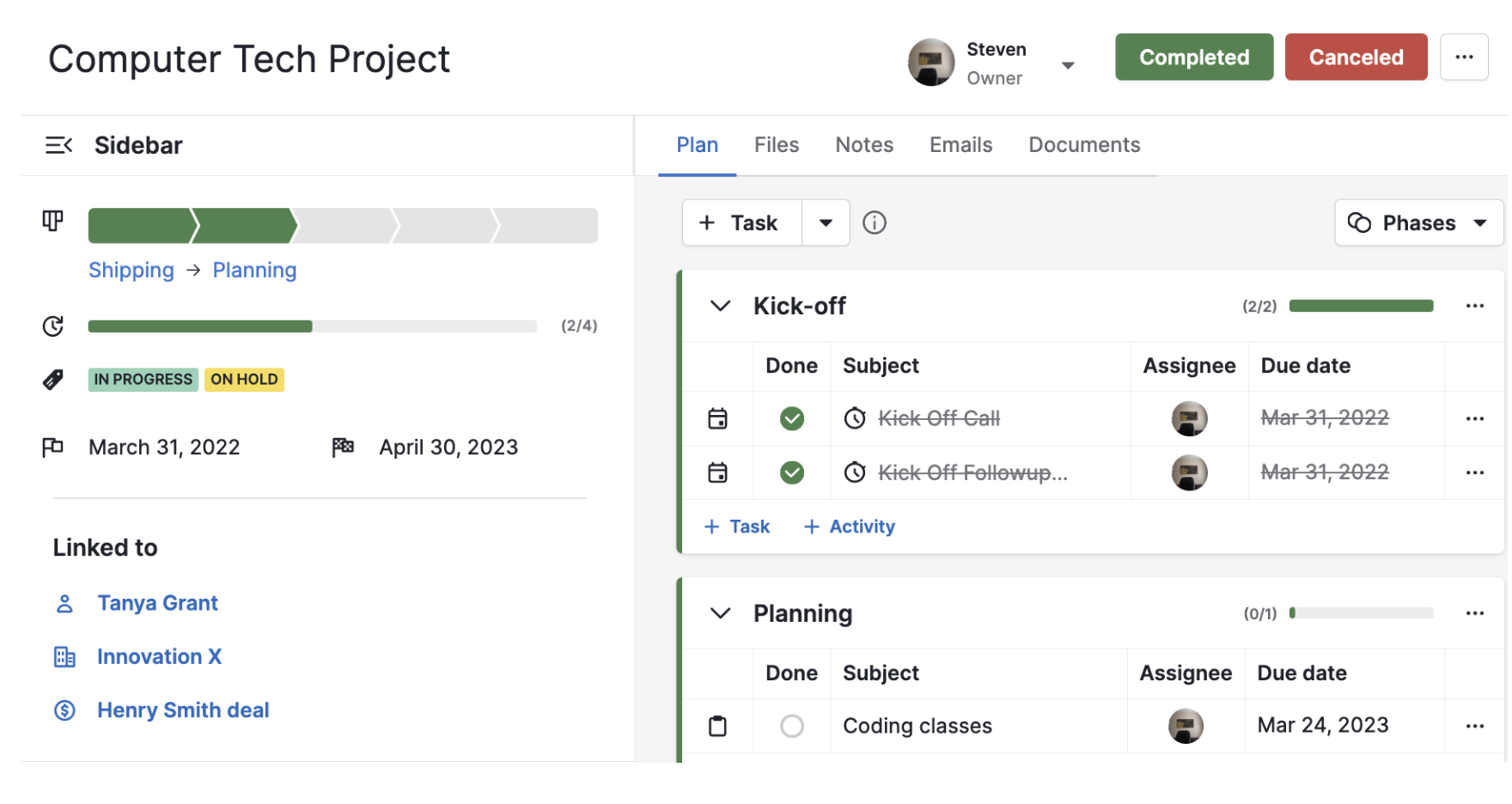
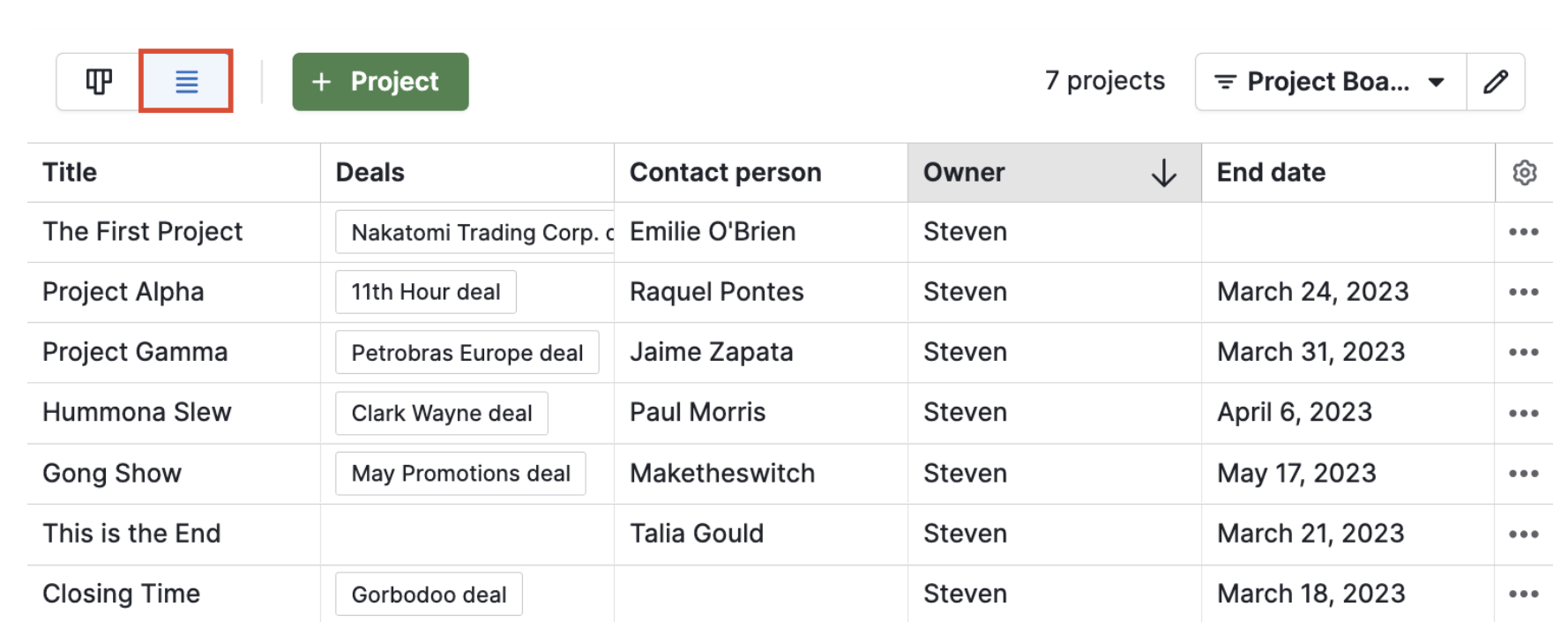
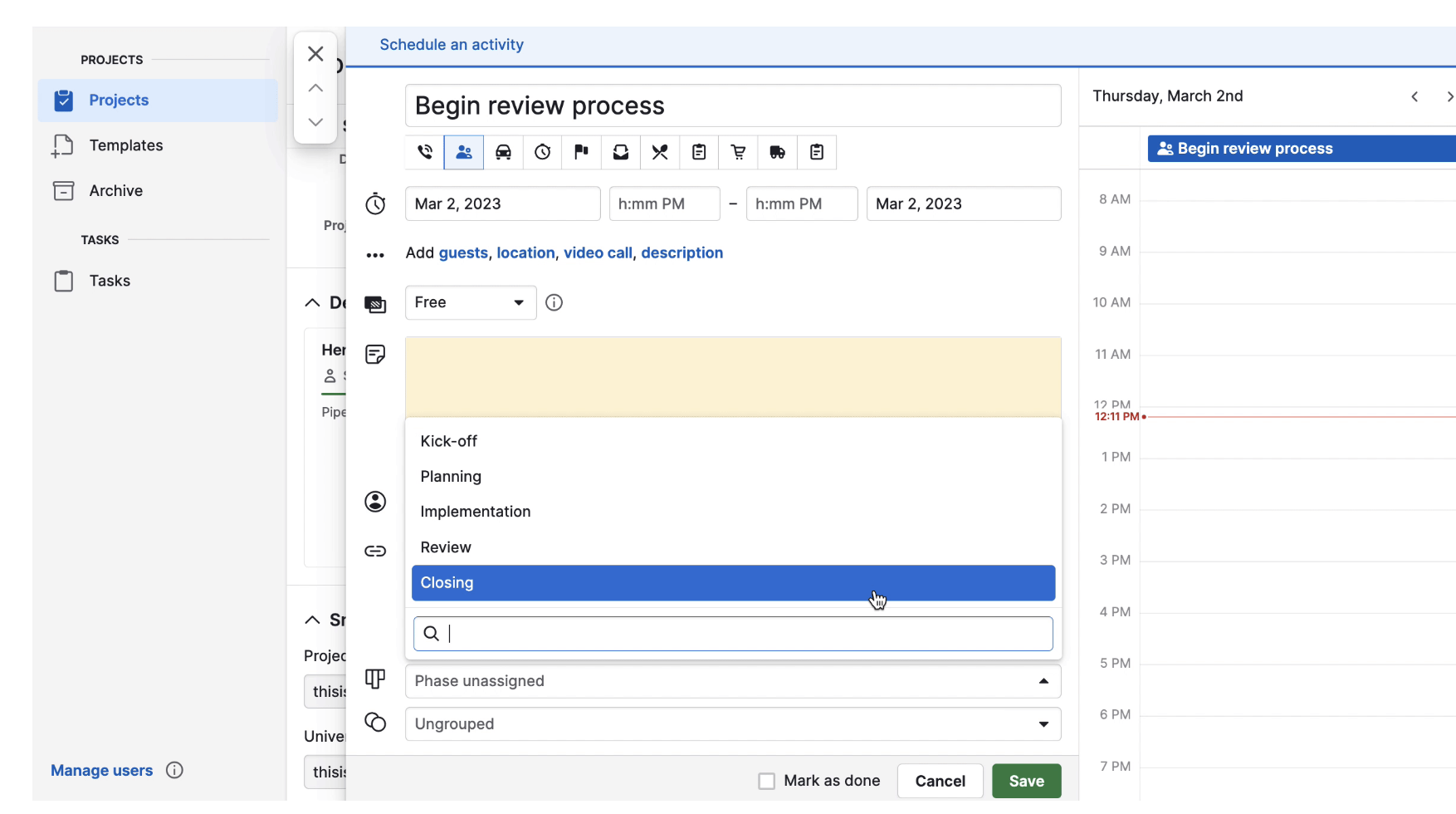
Pipedrive Project — is a project management module integrated into the Pipedrive CRM system that helps companies not only manage sales but also projects after deals are closed. This module allows for a smooth transition from the sales phase to project management, enabling efficient task execution and achievement of client goals.
-
- Канбан проектів
-
- Ведення проекту
-
- Список проектів
-
- Задачі в проекті
Functional Capabilities:
- Pipedrive features a user-friendly interface and allows you to track project and task statuses in the form of funnels.
- Built-in integration with the CRM system and process automation for a seamless transition from sales management to project management.
- Customizable fields for projects and the ability to transfer information from completed deals into projects.
- Project templates for quick setup.
Advantages of the Functionality:
- Intuitive interface that simplifies quick team adoption.
- Ability to automate tasks and manage both sales and projects from one tool.
- Integration with the CRM system without the need for additional services or connectors.
Disadvantages of the Service:
- Limited functionality compared to systems like ClickUp or Asana when managing complex projects.
- Lack of flexible tools for customizing workflows.
- High cost relative to its functionality.
Pricing Policy:
There is a single pricing plan – 8 euros per user per month.
Conclusion:
The Pipedrive Project module allows you to integrate project and sales management, providing a unified workflow for teams responsible for both areas. It is ideal for teams that combine project work with sales, such as consulting agencies or service companies.
Summary: Each of the discussed systems—Worksection, Asana, ClickUp, and Pipedrive (Project module)—has its unique capabilities and is suitable for different types of tasks.
- Worksection is perfect for small and medium teams working on relatively simple projects where budgeting and timeline control are important.
- Asana is ideal for large teams requiring flexibility and automation, especially for projects using the Agile methodology.
- ClickUp offers scalability and flexibility, making it suitable for large projects and companies needing flexible processes.
- Pipedrive with the Project module is best for companies where sales and projects are integrated into one workflow.
Each of these services has its pros and cons, but the right tool can help optimize workflows and achieve better results in projects of any scale.


